Konfiguration des Themes
Als Grundlage für die Darstellung der Website wird das Theme „IKnowledgeBase“ verwendet. Im Folgenden wird die verwendete Konfiguration des Themes beschrieben.
Zugang zur Theme-Konfiguration
Eingeloggte Administratoren sehen in der WordPress-Kopfzeile den Eintrag „Customizer“.
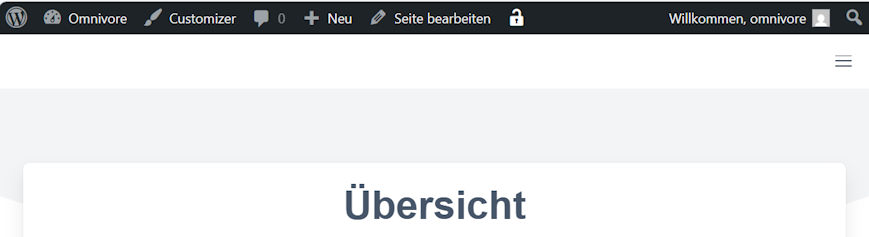
Nach Anklicken öffnet sich links das Customizing-Menü für das Theme.
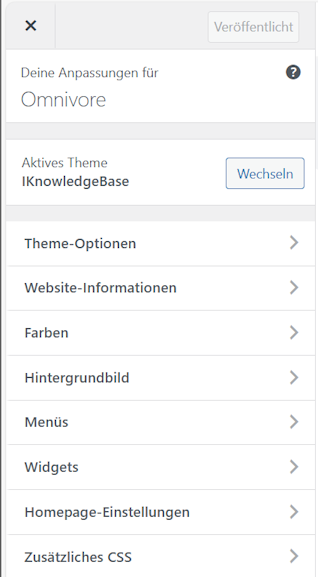
Eine kurze Beschreibung des Customizers sowie Zugang zur Dokumentation öffnet sich durch Klick auf das Fragezeichen hinter dem Namen der Website.
Theme-Optionen
Hier gelangt man zum Untermenü für die Theme-Optionen.
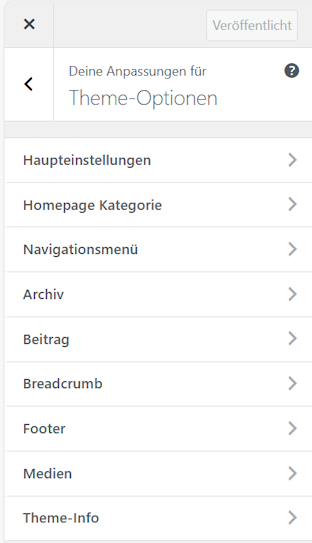
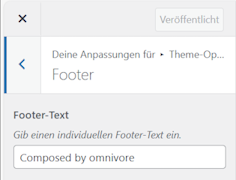
Unter dem Eintrag „Footer“ finde sich das Formular zur Einstellung des Seiten-Footers für alle Seiten der Website.
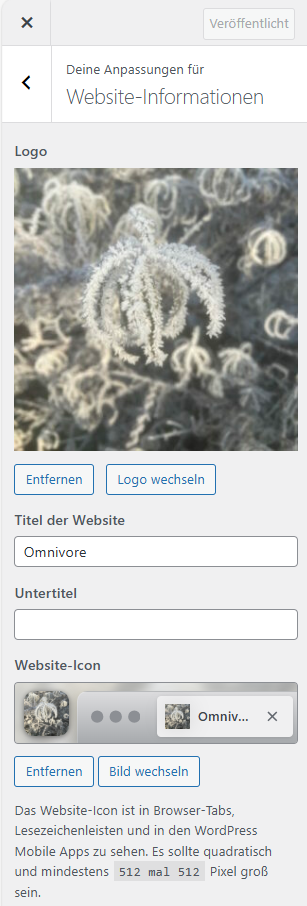
Website-Informationen
Durch Klick auf diesen Menüeintrag öffnet sich das Formular. Hier wird das Logo sowie der angezeigte Titel der Website festgelegt.
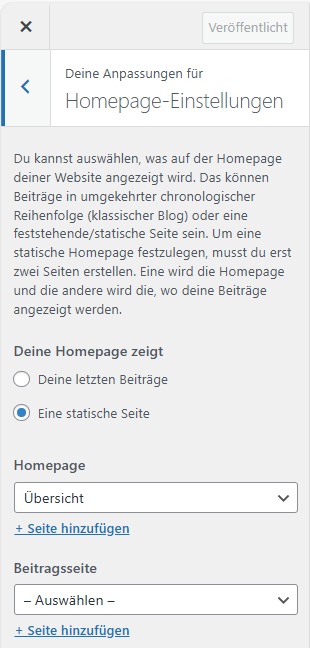
Homepage-Einstellungen
Hier wird insbesondere die statische Startseite für die Website festgelegt. Hier ist es die Seite „Übersicht“.
Zusätzliches CSS
In diesem Formular kann zusätzlicher CSS-Code zur Gestaltung der Inhalte der WebSite-Seiten hinterlegt werden. Neben der Darstellung der Seiten im Browser ist auch ein Format für den Ausdruck der Seiten definiert.
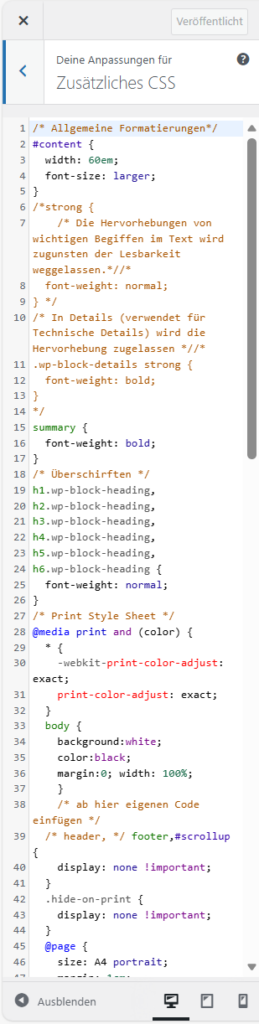
Folgende Einstellungen sind hier derzeit hinterlegt:
/* Allgemeine Formatierungen*/
#content {
	width: 60em; /* Begrenzungs der Seitenbreite zur besseren Lesbakeit auf breiten Bildschirmen */
	font-size: larger; /* Text im Standard größer */
}

/* Überschriften */
h1.wp-block-heading, /* Überschriften werden mit normaler Schriftstärke dargestellt. +/
h2.wp-block-heading,
h3.wp-block-heading,
h4.wp-block-heading,
h5.wp-block-heading,
h6.wp-block-heading {
  font-weight: normal;
}

/* Quellenverzeichnis – Absätze /* Quelleneinträge mit hängendem Einzug */
.quellenverzeichnis p {
  text-indent: -1.5em;
  margin-left: 1.5em;
  margin-top: 0.6em;
  margin-bottom: 0.2em;
}

/* Details-Block bündig mit den hängenden Zeilen */
.quellenverzeichnis details {
  margin: 0 0 0.6em 1.5em;   /* gleiches Einrücken wie die Folgezeilen, kein Extra-Abstand oben */
  padding-left: 0.5em;
}

details /* Aufklappbare Texte */
{
  border-left: 2px solid #ccc;
  background: #fafafa;
}
/* Summary schlicht, mit Kapitälchen statt Fett */
details summary {
  font-variant: small-caps;
  font-weight: normal;
  cursor: pointer;
  margin: 0;
}
/* Absätze im Inhaltsblock ohne zusätzliche Abstände */
details p {
  margin: 0;
  text-indent: 0;
}

/* Minimaler Abstand nur zwischen Inhalt- und Beitrag-Absatz */
details p + p {
  margin-top: 0.2em;
}

/* Menü */
.navbar-menu {
	width: 100%; /* über die gesamte Browserbreite */
}

/* Kennzeichnung von Gesprächsteilnehmnern in Chats (Ich:, ChatGPT:) */
span.interlocutor {
    font-weight: bold;
}
/* Tabellenausrichtung */
table {
	text-align: left;
	vertical-align: top;
}

/* [page list] aufklappbar machen */
.wp-block-page-list li.has-child > ul {
    display: none;
}

.wp-block-page-list li.has-child.open > ul {
    display: block;
}

/* Pfeilsymbol */
.wp-block-page-list li.has-child > a::before {
    content: "▸";
    display: inline-block;
    width: 1em;
    margin-right: 6px;
    cursor: pointer;
}

/* geöffnet */
.wp-block-page-list li.has-child.open > a::before {
    content: "▾";
}

/* aktueller Navigationspfad bleibt offen */
.current_page_ancestor > ul,
.current_page_parent > ul,
.current-menu-item > ul {
    display: block;
}


/* =====================================================
   WORDPRESS PRINT CSS
   STABIL FÜR BLOCKTHEMES / GUTENBERG
   ===================================================== */

@media print {
/* =====================================================
   HARTE LAYOUT-NEUTRALISIERUNG (gegen graue Balken)
   ===================================================== */

html,
body,
.wp-site-blocks,
main,
section,
div {
  background: #ffffff !important;
  box-shadow: none !important;
  filter: none !important;
}

/* Alle Pseudo-Elemente entfernen */

*::before,
*::after {
  content: none !important;
  display: none !important;
}

/* Gutenberg / Theme Wrapper */

.wp-site-blocks,
.wp-block-group,
.wp-block-post-content,
.entry-content,
.content-area,
main,
section {
  box-shadow: none !important;
  border: none !important;
}

  /* =====================================================
     PAGE SETUP
     ===================================================== */

  @page {
    size: A4 portrait;
    margin: 20mm;
  }

  /* =====================================================
     GLOBALEN HINTERGRUND ERZWINGEN
     (entfernt graue Theme-Balken)
     ===================================================== */

  html,
  body,
  .wp-site-blocks,
  main,
  section {
    margin: 0 !important;
    padding: 0 !important;
    background: #ffffff !important;
    color: #000;
    font-family: -apple-system, BlinkMacSystemFont, "Segoe UI", Roboto, Arial, sans-serif;
    font-size: 11pt;
    line-height: 1.45;
    -webkit-print-color-adjust: exact;
    print-color-adjust: exact;
  }

  /* Pseudo-Elemente entfernen (häufig Ursache für graue Balken) */

  html::before,
  html::after,
  body::before,
  body::after,
  .wp-site-blocks::before,
  .wp-site-blocks::after {
    display: none !important;
    content: none !important;
  }

  /* =====================================================
     WORDPRESS ADMIN BAR
     ===================================================== */

  #wpadminbar {
    display: none !important;
  }

  html,
  body.admin-bar {
    margin-top: 0 !important;
  }

  /* =====================================================
     CUSTOM UI ELEMENTE AUSBLENDEN
     ===================================================== */

  #uds-scroll-top,
  #uds-ui {
    display: none !important;
  }

  /* =====================================================
     TECHNICAL BLOCK AUSBLENDEN
     ===================================================== */

  .technicals {
    display: none !important;
  }

  /* =====================================================
     SITE HEADER / NAVIGATION ENTFERNEN
     ===================================================== */

  .site-header,
  nav,
  .wp-block-navigation,
  aside,
  .sidebar,
  footer,
  .comments-area,
  .widget-area {
    display: none !important;
  }

  /* =====================================================
     LAYOUT-CONTAINER NEUTRALISIEREN
     ===================================================== */

  .wp-site-blocks,
  main,
  section,
  .wp-block-group,
  .entry-content,
  .content-area {
    margin: 0 !important;
    padding: 0 !important;
    max-width: none !important;
  }

  /* =====================================================
     ARTICLE ALS HAUPTCONTAINER
     ===================================================== */

  article {
    display: block !important;
    width: 100% !important;
    max-width: none !important;
    margin: 0 !important;
    padding: 0 !important;
  }

  /* =====================================================
     ARTICLE HEADER (TITEL)
     ===================================================== */

  article > header {
    display: block !important;
    margin: 0 0 12pt 0 !important;
    padding: 0 !important;
    border: none !important;
    background: none !important;
  }

  /* Utility-Klassen neutralisieren */

  article > header.mb-5,
  article > header.pb-5,
  article > header.has-border-bottom {
    margin: 0 0 12pt 0 !important;
    padding: 0 !important;
    border: none !important;
  }

  /* Pseudo-Elemente entfernen */

  article > header::before,
  article > header::after {
    display: none !important;
    content: none !important;
  }

  /* Titel */

  article h1.title {
    font-size: 22pt;
    font-weight: 700;
    margin: 0 0 10pt 0;
    page-break-after: avoid;
  }

  /* =====================================================
     TYPOGRAPHY
     ===================================================== */

  /* Seitentitel */

  article > header h1.title {
    font-size: 22pt !important;
    font-weight: 700;
    margin: 0 0 10pt 0;
    page-break-after: avoid;
  }

  h2, h3, h4, h5, h6 {
    font-weight: 600;
    margin-top: 14pt;
    margin-bottom: 6pt;
    page-break-after: avoid;
  }

  h2 { font-size: 16pt; }
  h3 { font-size: 14pt; }
  h4 { font-size: 12pt; }

  p {
    margin: 0 0 8pt 0;
    orphans: 3;
    widows: 3;
  }

  ul, ol {
    margin: 0 0 10pt 18pt;
  }

  li {
    margin-bottom: 4pt;
  }

  blockquote {
    border-left: 3pt solid #999;
    padding-left: 10pt;
    margin: 12pt 0;
    font-style: italic;
  }

  /* =====================================================
     LINKS
     ===================================================== */

  a {
    color: #000;
    text-decoration: underline;
  }

  /* =====================================================
     IMAGES
     ===================================================== */

  img {
    max-width: 100%;
    height: auto;
    page-break-inside: avoid;
  }

  figure {
    margin: 10pt 0;
    page-break-inside: avoid;
  }

  figcaption {
    font-size: 9pt;
    color: #555;
  }

  /* =====================================================
     TABLES
     ===================================================== */

  table {
    width: 100%;
    border-collapse: collapse;
    margin: 10pt 0;
  }

  thead {
    display: table-header-group;
  }

  tr {
    page-break-inside: avoid;
  }

  th, td {
    border: 1px solid #000;
    padding: 6pt;
    font-size: 10pt;
  }

  /* =====================================================
     CODE
     ===================================================== */

  pre, code {
    font-family: "Courier New", monospace;
    font-size: 9pt;
  }

  pre {
    border: 1px solid #ccc;
    padding: 8pt;
    white-space: pre-wrap;
  }

  /* =====================================================
     DETAILS-ELEMENTE AUSKLAPPEN
     ===================================================== */

  details {
    display: block !important;
    margin-bottom: 10pt;
  }

  details:not([open]) > *:not(summary) {
    display: block !important;
  }

  summary {
    font-weight: 600;
    list-style: none;
  }

  summary::marker,
  summary::-webkit-details-marker {
    display: none;
  }

  /* =====================================================
     GUTENBERG COLUMNS
     ===================================================== */

  .wp-block-columns {
    display: block !important;
  }

  .wp-block-column {
    width: 100% !important;
  }

  /* =====================================================
     BLOCKS NICHT ZERREISSEN
     ===================================================== */

  .wp-block-group,
  .wp-block-media-text,
  .wp-block-cover {
    break-inside: avoid;
    page-break-inside: avoid;
  }

  /* Hintergrund entfernen */

  .has-background,
  .wp-block-cover {
    background: none !important;
  }

	/* Alle box-shadows entfernen */
	* {
  box-shadow: none !important;
}
	/*   Fußnotnezifern entfernen */
sup {
  display: none !important;
}

/* =====================================================
   TOC (LuckyWP) AUSBLENDEN
   ===================================================== */

.lwptoc,
.lwptoc_wrap,
.lwptoc_container,
.lwptoc_items,
.lwptoc_itemWrap {
  display: none !important;
}

  /* =====================================================
     PAGE BREAK UTILITIES
     ===================================================== */

  .page-break {
    page-break-before: always;
  }

  .no-break {
    page-break-inside: avoid;
  }

}
Speichern von Änderungen
Wurden Änderungen an der Theme-Konfiguration vorgenommen, erscheint oben im Menü die Schaltfläche „Veröffentlichen“.

Durch Klick darauf werden die durchgeführten Ändeurngen wirkslam.
Anpassungen nach Update des Themes
Die Integration des Breadcrumb-Plugins Breadcrumb NavXT erfolgt über die Anpassung der Theme-Datei header.php. Der Code
<div class="breadcrumbs" typeof="BreadcrumbList" vocab="https://schema.org/">
	<?php if(function_exists('bcn_display'))
	{
		bcn_display();
	}?>
</div>
wird am Ende des Abschnitts <div class="navbar-start"> eingefügt. Dann erscheint der Breadcrumb auf jeder Seite oben in der Navibationsleiste.